
Multilingual live streaming made easy
Clevercast lets you deliver live streams with multiple audio languages and very accurate closed captions, using the latest AI technologies. Viewers, anywhere in the world, can watch the stream and select their preferred language in our multilingual video player.
Get a solution for any multilingual live stream
Our platform and embeddable player are an all-in solution for multilingual live streaming to an unlimited number of worldwide viewers. Live streams are delivered through the Akamai CDN using adaptive bitrate streaming. This way, speed, reliability and scalability are guaranteed. In addition, conference or meeting participants can receive translations in realtime.

Remote Simultaneous Interpretation
Add any number of audio translations to a live stream using remote simultaneous interpretation.
Interpreters don’t have to be on-site. They can be anywhere in the world. Clevercast lets them watch the live stream in realtime via their browser and add high-quality audio translations. Interpreter relay, handover and other collaboration tools are readily available.

Live Closed Captions
Add AI-powered closed captions to your livestream with perfect accuracy. Human correction in real-time is optional. These captions can be auto-translated into any number of languages.
By using the best AI and leveraging the latency inherent in the HLS protocol, Clevercast vastly improves accuracy and readibility of closed captions in your live stream. Even when multiple languages are spoken in the live stream, our AI stays on point.

Multilingual Broadcasts
Clevercast accepts RTMP or SRT broadcasts with multiple audio tracks and channels, and turns them into multilingual live streams.
This lets you add audio translations of the highest quality to your live stream, with on-site interpreters in interpreting booths.

Multilingual Simulive Streams
Turn pre-recorded videos into live streams with any number of audio languages and closed captions.
The stream is delivered like any other live stream. Your viewers have no way of telling the difference.
Trusted by global brands and companies






























See How it works
Remote interpretation and closed captions made easy
Remote simultaneous interpreters can get started without training. Our intuitive interfaces and features like interpreter handover and advanced relay make it easy to get started right away.
Closed captions can be generated through speech-to-text conversion using the most accurate ASR models. Human transcription and correction are also available. Both can be combined with AI translation into other languages.
Use the headphone menu to select audio languages and the CC menu for closed captions.
Revolutionizing AI-powered live captions
Clevercast's unique solution allows you to vastly improve the accuracy and readability of captions during a live stream, compared to all other solutions on the market. For the first time, you can simply rely on AI to add highly accurate captions to your live stream. You can even reach 100% accurate captions with minimal effort, by using our acclaimed real-time correction interface in the cloud. We can also provide correctors or captioners for you.

AI-powered live captions, with optional real-time correction
99+% / 100% ACCURATE
Our leading Automatic Speech Recognition (ASR) technology generates 99+% accurate captions. Use our real-time correction interface for 100% accuracy.

AI translation of live captions into any number of languages
99,9+% ACCURATE
AI translation of the initial closed captions into any number of languages. Since the initial captions are perfectly accurate, the translations will be too.

Real-time human transcription or correction of AI captions
100% ACCURATE
Captioners can use a stenotype keyboard or re-speaking software to add live captions in their browser. Or they can edit AI captions using a normal mouse and keyboard.
World-class support and services for global events
Clevercast includes all necessary features to get started yourself with live and on-demand video streaming. In addition, we can provide different levels of support and extensive services. This way, anyone can produce a multilingual live stream.
Technical Support
Clevercast is designed as self-service platform, letting you hire your own interpreters and captioners. Our plans depend on your needs. We offer premium support for a guaranteed response time and service level.
Managed Service
We can source interpreters and captioners to ensure audio translations and closed captions in high quality, help you manage your project, monitor your live stream and provide prompt and accurate assistance.
All-in-one streaming platform
Clevercast provides an all-in-one enterprise platform with all sorts of features for live and on-demand video streaming, management, distribution, monetization and analytics.
The platform is fast, reliable and scalable. It includes a customizable HTML5 player that can be embedded in any site or platform and provides an optimal experience on every device and platform.
If you need a fully hosted solution with a customizable webpage, viewer registration and interactive features, you can use our webinar platform.
Embed our multilingual live player in any site or platform
Provide real-time translations to conference or meeting participants
Simulcast to YouTube, Facebook and other third-party platforms
Limit stream accessibility based on IP address, domain and country
Get detailed analytics for live and Video on-Demand
Download multilingual cloud recordings and publish them as VoD
Use our REST API's and player JS API to customize or integrate
Adaptive Bitrate Streaming
Flawless HD streaming
to global audiences
Clevercast starts where other remote interpreting solutions stop. Rather than targeting a limited number of participants in a controlled environment, our live streams are open to an unlimited number of global viewers.
They are delivered through the Akamai CDN with edge servers all over the world.
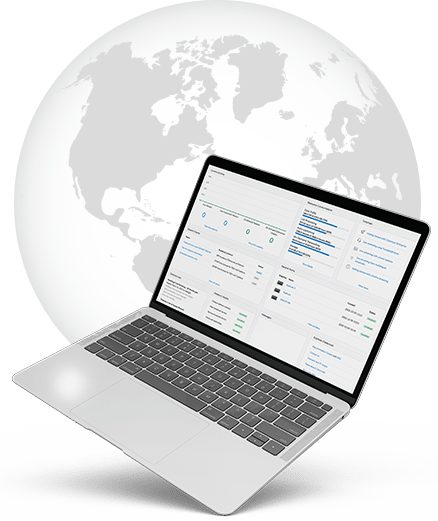
Clevercast automatically transcodes your broadcast to multiple resolutions for adaptive bitrate streaming.
This allows for full HD streaming, while also delivering smooth streams to viewers with small screens or poor internet connections. Clevercast also supports redundant setups with automatic failover by the player.
Why global organizations trust Clevercast for all types of events
Don’t hesitate to break down the language barriers and expand your reach. We have supported tens of thousands of events and are trusted by clients all over the world.
Optimal video quality
Streams are delivered in multiple resolutions using adaptive streaming, allowing for full HD streams while ensuring smooth streaming for all viewers.
One-stop shop
Our platform comes with all bells and whistles: simulcasting, real time access, server-side recording, VoD hosting, analytics and a player that can be integrated anywhere.
Rock steady platform
Streams can be watched globally by an unlimited number of viewers on all browsers and devices. Clevercast supports fully redundant set ups, with automatic player failover.
Technology driven
We use AI for speech-to-text conversion and text-to-text translation of captions, but also to improve the experience of Clevercast users and live stream viewers.
User friendly
Clevercast is developed in collaboration with event managers, interpreters and transcribers, aiming for ease of use and a low threshold to entry.
Secure
All data is stored in ISO 27001-compliant data centers within the EU. All hardware and software is monitored 24/7. Encryption is used to secure data transmission.
Speed, reliability, scalability
Clevercast partners with Akamai to deliver streams as close to viewers as possible. Akamai’s CDN has unparalleled capacity and scale, with edge servers in all parts of the world.
World-class support
Our support engineers are always ready to help with accurate answers to your questions. Upon request we offer guaranteed response times and service levels.
For any budget
We have monthly and annual plans, allowing all customers to choose a plan that fit their needs. Premium support and custom services are possible, depending on your needs.
Get Started Now
Start live streaming today with a solution of choice. No credit card required.
Or contact us for more info.